

I get 3x more inbound from comments than posts - My entire prompt system
An operator’s AI-assisted playbook for LinkedIn distribution

This should bother you → Your LinkedIn posts are reaching half as many people as they did a year ago.
Richard van der Blom’s 2025 Algorithm InSights report (based on analysis of millions of posts) shows organic reach dropped roughly 50% year-over-year. Engagement fell 25%. Follower growth reduced to 59%.
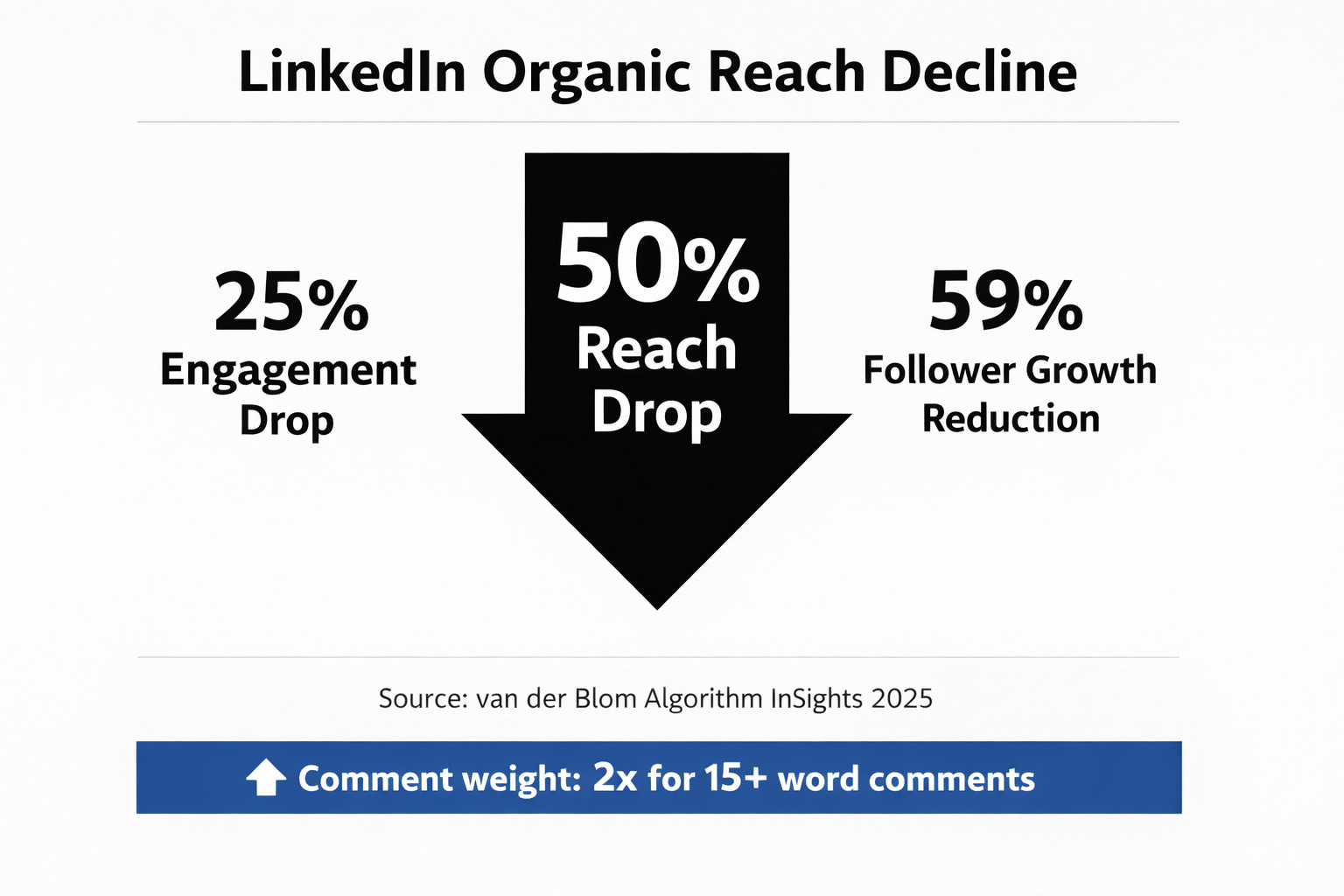
If your impressions are dismal and reach dropped 50%, your pipeline would’ve felt it too.
But while everyone panicked about reducing reach, LinkedIn started giving more weight to comments.
Specifically, comments over 15 words now carry roughly double the weight of shorter interactions in LinkedIn’s ranking signals (as per van der Blom and Botdog’s analysis of 2025 ranking factors).
I run multiple businesses. I don’t have the hours to create five posts a week, optimize each for the algorithm, and also do my actual job.
What I’ve figured out over the past year is that 15 minutes of commenting consistently gets me more reach, more conversations, and more inbound than an hour of writing thoughtful posts.
Here’s how i do now.
The Comment Engine OS is live. The first system that turns LinkedIn comments into your highest-ROI distribution channel.
Your best-performing post probably generated less pipeline than your best comment. For me, it did.
I’ll share some real numbers on that later. But first, here’s the system.
(A note on platforms: this newsletter focuses on LinkedIn because that’s where I have the most data. The core principles i.e. high-value comments borrow someone else’s distribution, applies to X too, though comment-section dynamics differ. X threads are less professional. The algorithm weights are different but human psychology is same)
The platform changed the rules on you
LinkedIn’s algorithm runs every post through roughly four stages: an initial quality check, a “golden window” in the first 60-90 minutes, an 8-hour review period, and a final push for content that clears all three gates.
Comments factor into every single stage. A post with thoughtful early comments signals that the content is generating real conversation. LinkedIn wants to reward this exact behavior.
Two stats tell the story better than I can:
45% less engagement on AI-generated posts vs. human-written posts (Originality.ai study of 8,795 LinkedIn posts)
Significantly more comments and extended reach on posts where the author responds in the first 30-60 minutes (van der Blom Algorithm InSights 2025)
The first number is why you can’t outsource commenting to a bot. The second is why showing up in comment sections and replying when people respond matters more than the post itself.
Organic reach down ~50% YoY
Source: van der Blom, Algorithm InSights 2025Engagement dropped 25%, follower growth down 59%
Source: van der Blom (platform-wide data)Comments over 15 words carry roughly 2x algorithmic weight
Source: van der Blom / Botdog 202572% of LinkedIn engagement happens on mobile (7-second scan behavior)
Source: Agorapulse / B2B InstituteOnly 7.1% of LinkedIn’s 1B users post regularly
Source: van der Blom
You’re not building distribution. You’re borrowing it.
The old model was straightforward:
create a post,
hope the algorithm distributes it,
wait for engagement.
You were building distribution from scratch every single time.
The new model looks different.
Find a post that already has distribution… say, a post with 50K views in your industry.
Add a comment worth reading.
Now you’re borrowing that person’s audience.
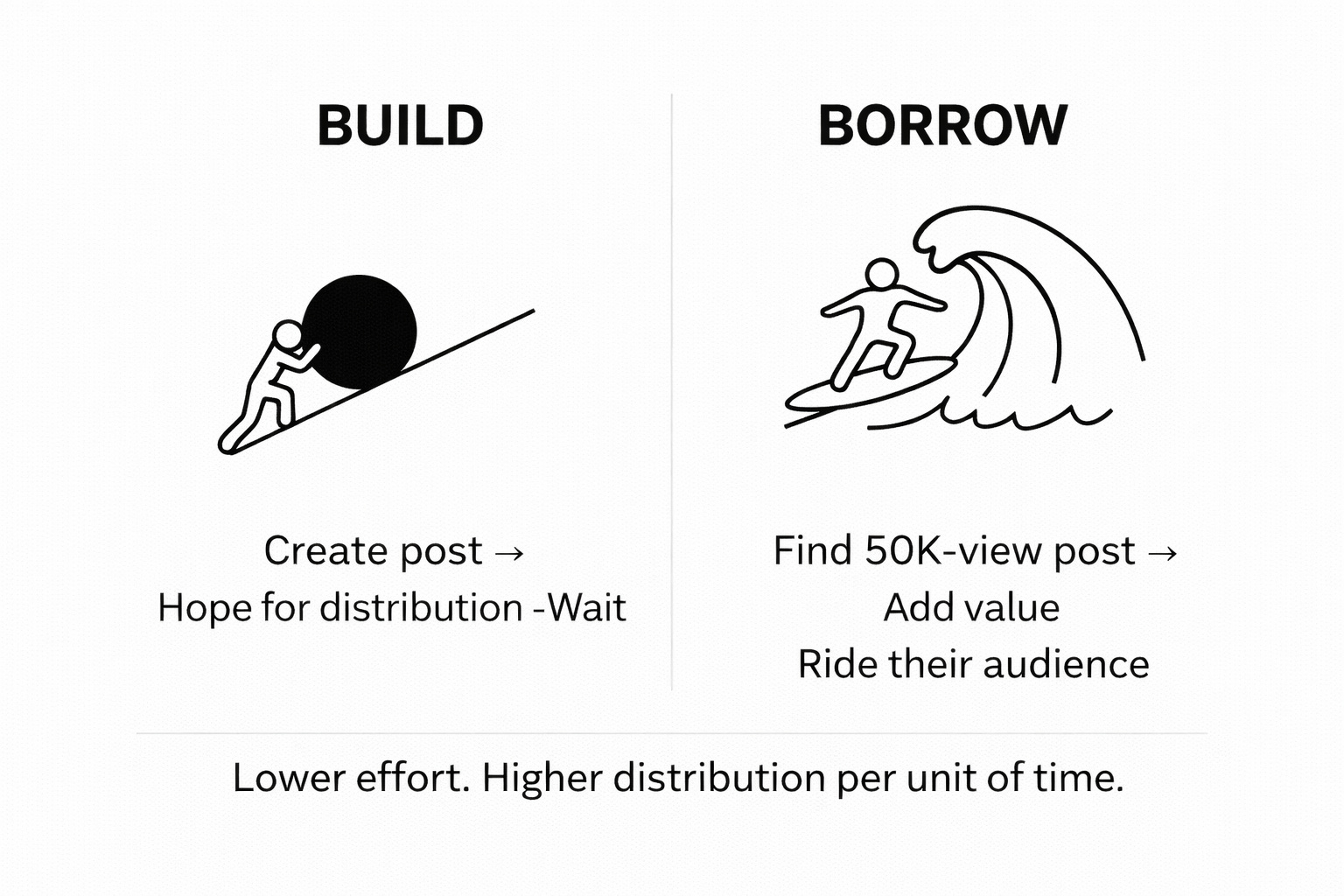
A single comment on a high-reach post can get you 5,000-10,000 impressions even if nobody in that creator’s network has ever heard of you.
Lower effort, higher distribution per unit of time.
And because only 7.1% of LinkedIn’s billion users post regularly, the comment section is dramatically less competitive than the feed.
There’s a catch, though. LinkedIn is getting better at detecting and deprioritizing AI-generated comments.
Which means the obvious next step… “just use AI to write all my comments” is exactly the wrong move.
You’ve seen these comments. You’ve scrolled past every one.
Before we get into what works, we need to look at what doesn’t.
If you’ve spent any time on LinkedIn this year, you’ve seen all of these. And you probably didn’t click on a single one of these commenters’ profiles.
THE GENERIC ONE
“This is such a powerful insight! Your journey is truly inspiring and I love how you’ve navigated these challenges. Looking forward to seeing what’s next!”
Why it fails: Zero specificity. Could apply to any post on the platform. Uses classic AI pattern: “powerful insight,” “truly inspiring,” “looking forward.”
THE SUMMARY
“Great breakdown of the three pillars of customer retention. The point about onboarding being 80% of the battle really resonates. Thanks for sharing!”
Why it fails: It’s just repetition. Adds no value. No original thinking, no lived experience, no challenge to the idea.
THE EMOJIs
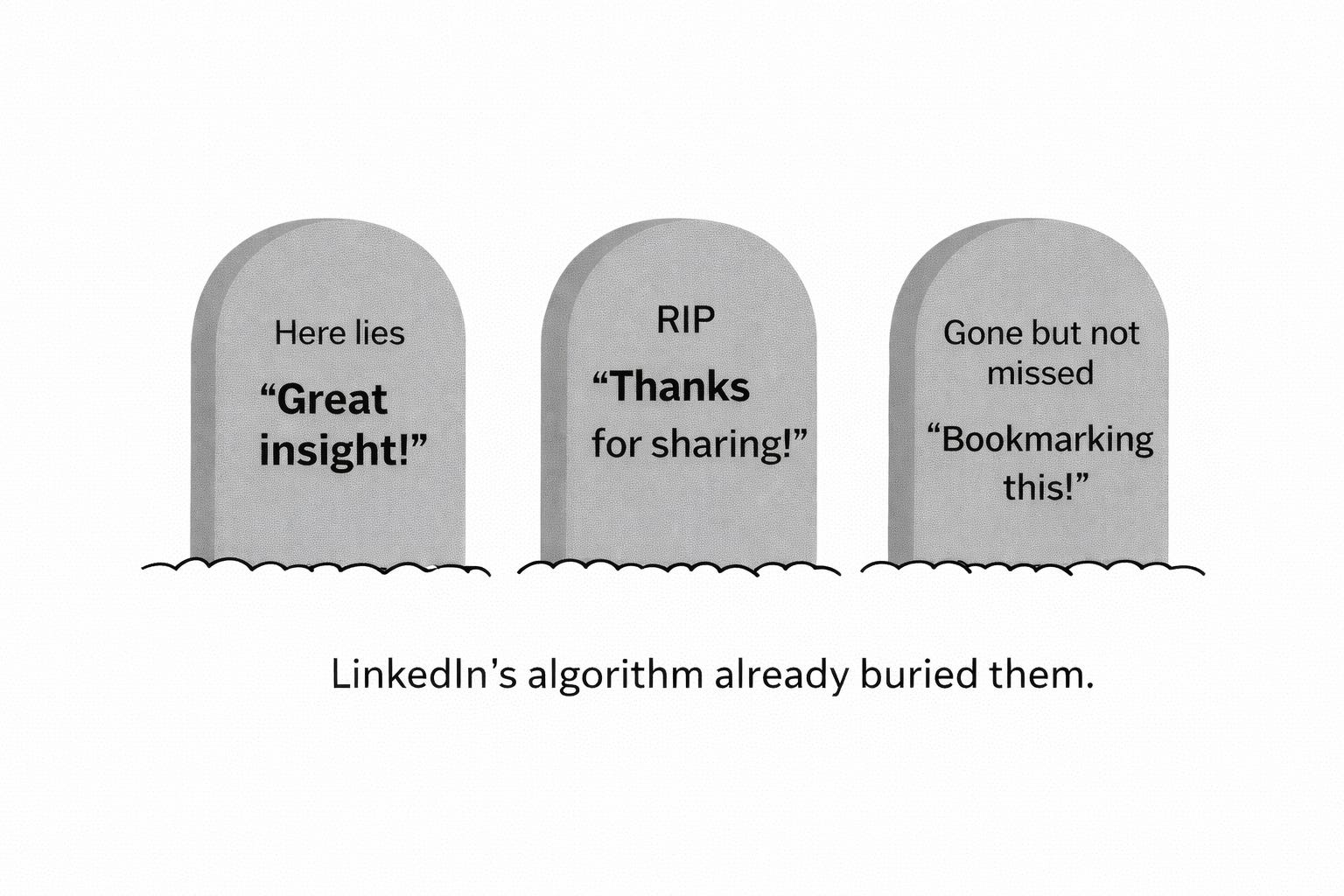
“This! So much value here. Bookmarking this for later.”
Why it fails: Engagement bait. LinkedIn penalizes this pattern now. It signals “I want credit for engaging without actually engaging.”
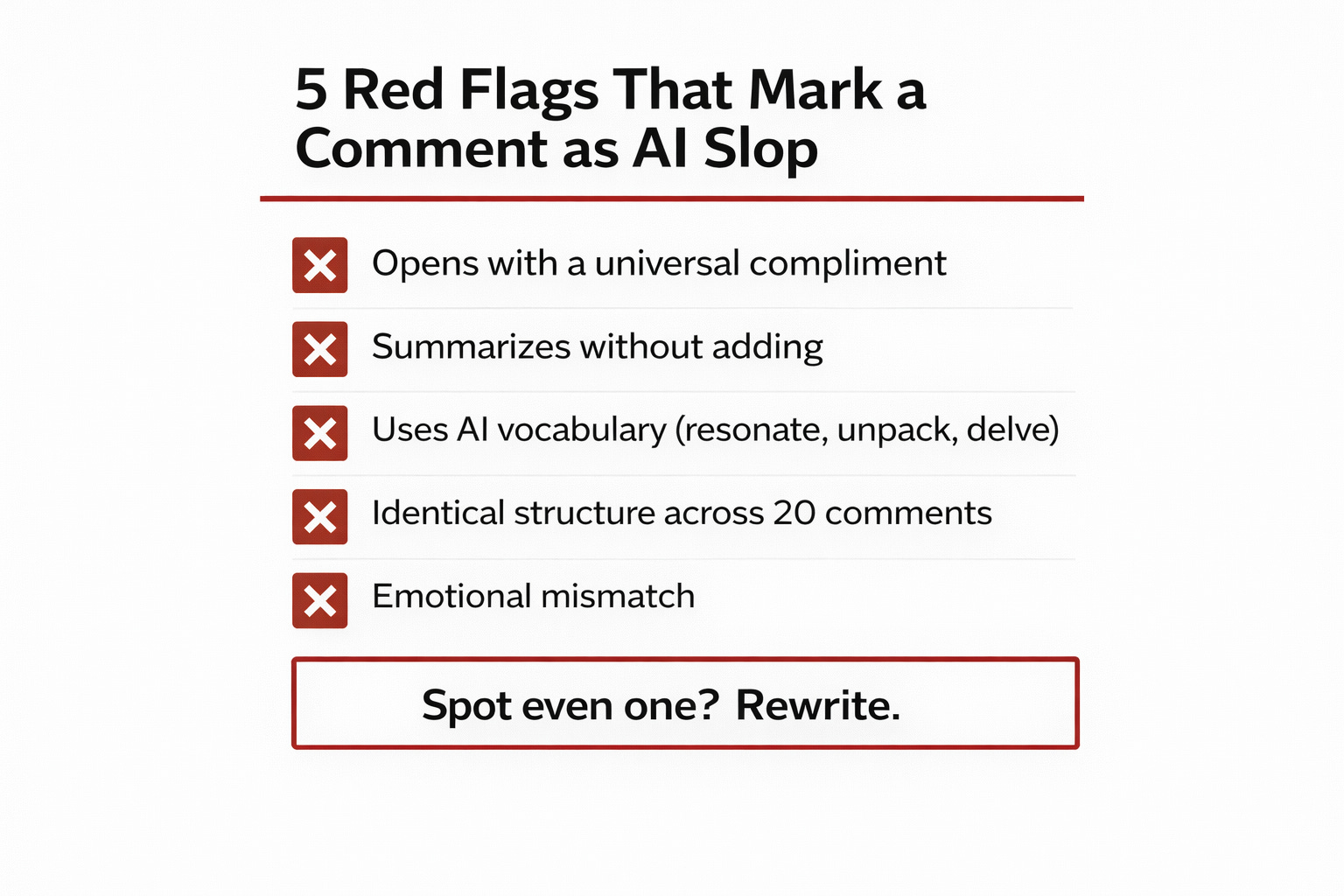
Five red flags that mark a comment as AI slop
Whether you’re writing your own comments or editing AI-assisted drafts, check for these. If you spot even one, rewrite.
1. Opens with a compliment that could apply to any post. “Great insight!” and “Powerful perspective!” are the AI draft starters.
2. Summarizes the post without adding anything.
3. Uses AI vocabulary. “Resonate,” “unpack,” “landscape,” “leverage,” “delve,” “navigate.” These words show up in AI-generated text at wildly disproportionate rates.
4. Identical structure across all comments. Check a commenter’s profile. If their last 20 comments follow the same format I.e. compliment, summary point, generic close… It’s written by a bot.
5. Emotional mismatch. Exclamation points and enthusiasm on a post about layoffs. Casual cheerfulness on a post about a hard-won lesson. Just avoid it.
The irony nobody talks about: tools promising massive AI comments per week are the reason LinkedIn built better AI detection. The people using them at scale are training the algorithm to recognize and suppress exactly this pattern. They’re not just wasting time, they’re actively burning their account’s reach.
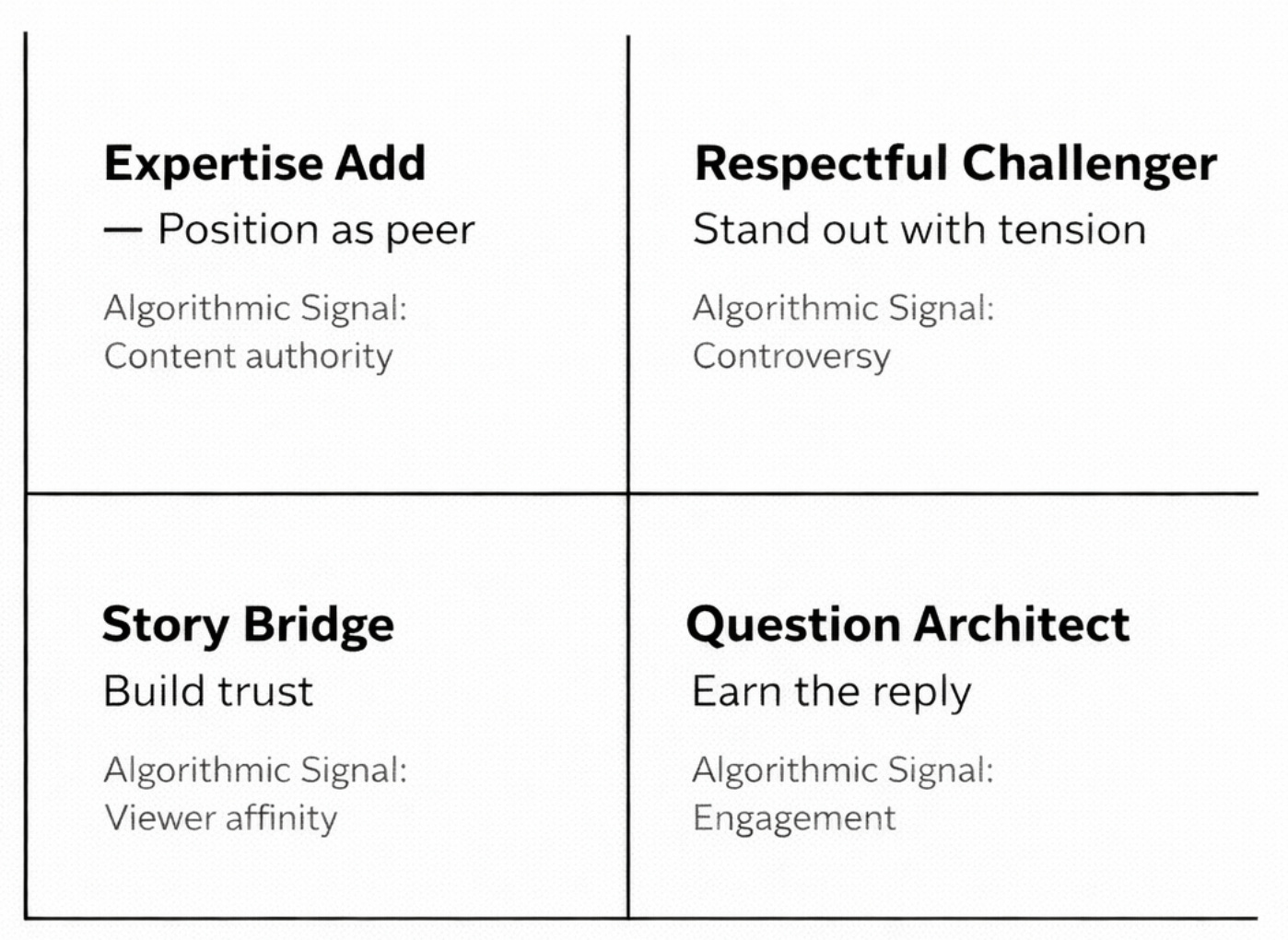
Four comment types worth your time
I’ve been testing commenting strategies across LinkedIn for the past year. I keep coming back to four types that consistently generate replies, profile clicks, and real conversations.
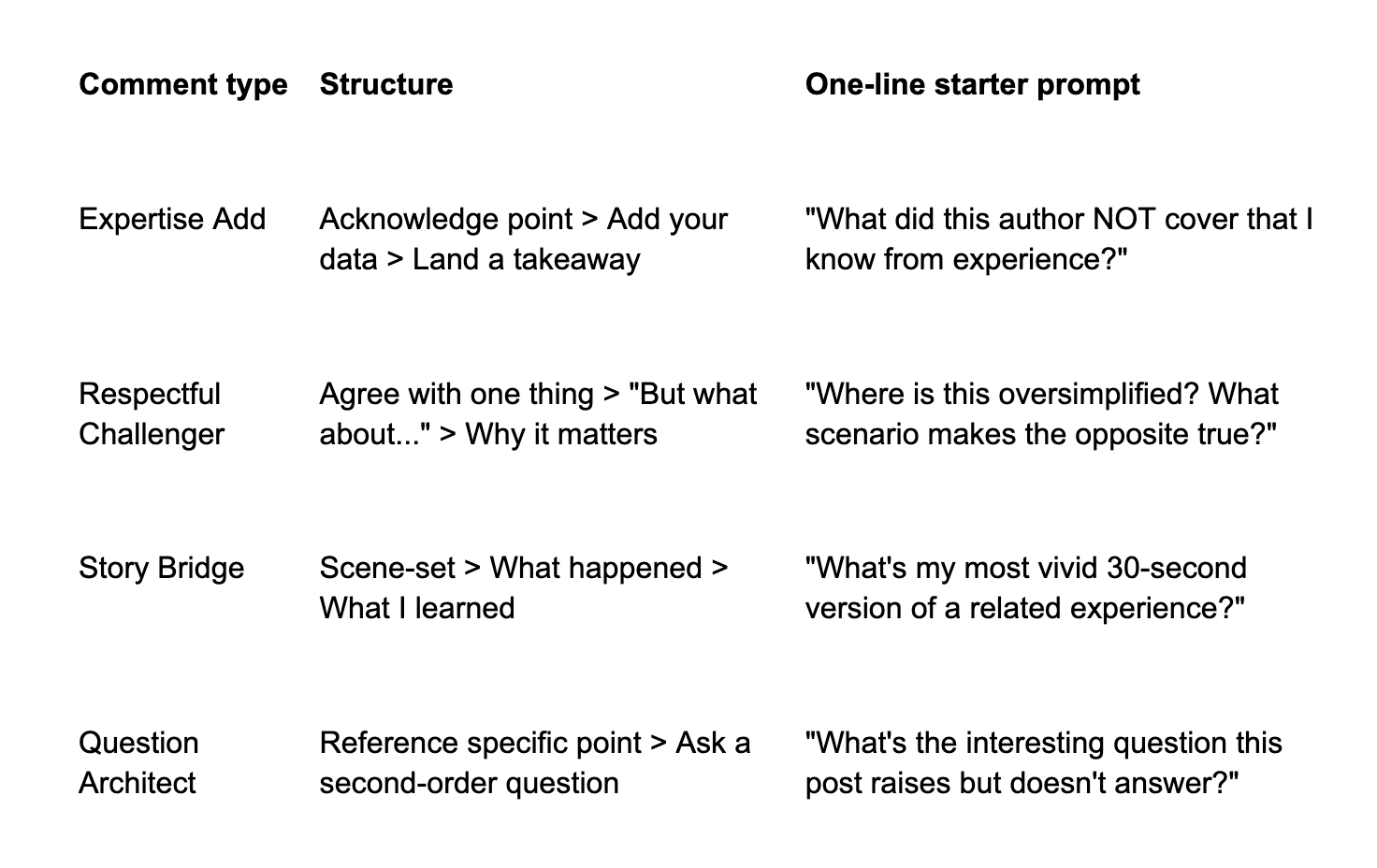
Each one has a different strategic purpose. The goal isn’t to pick a favorite… it’s to mix them so your comments doesn’t look like a template
Comment Type: The Expertise Add
Strategic Purpose: Position yourself as a peer
When to Use It: Post is in your domain and you have a data point or angle the author missed
What the Algorithm Sees: Dwell time + saves
Comment Type: The Respectful Challenger
Strategic Purpose: Stand out by adding tension
When to Use It: Post makes a strong claim you can complicate with experience
What the Algorithm Sees: Replies + thread depth
Comment Type: The Story Bridge
Strategic Purpose: Build relatability and trust
When to Use It: Post covers a topic where you have a relevant personal story
What the Algorithm Sees: Reactions + profile clicks
Comment Type: The Question Architect
Strategic Purpose: Extend the thread and earn a reply
When to Use It: Post opens a topic where a specific, non-obvious question adds value
What the Algorithm Sees: Reply rate + thread length
Type 1: The Expertise Add
You read the post, then add an insight from your experience that the author didn’t cover. You’re not correcting them. You’re extending the conversation with your own experience or data.
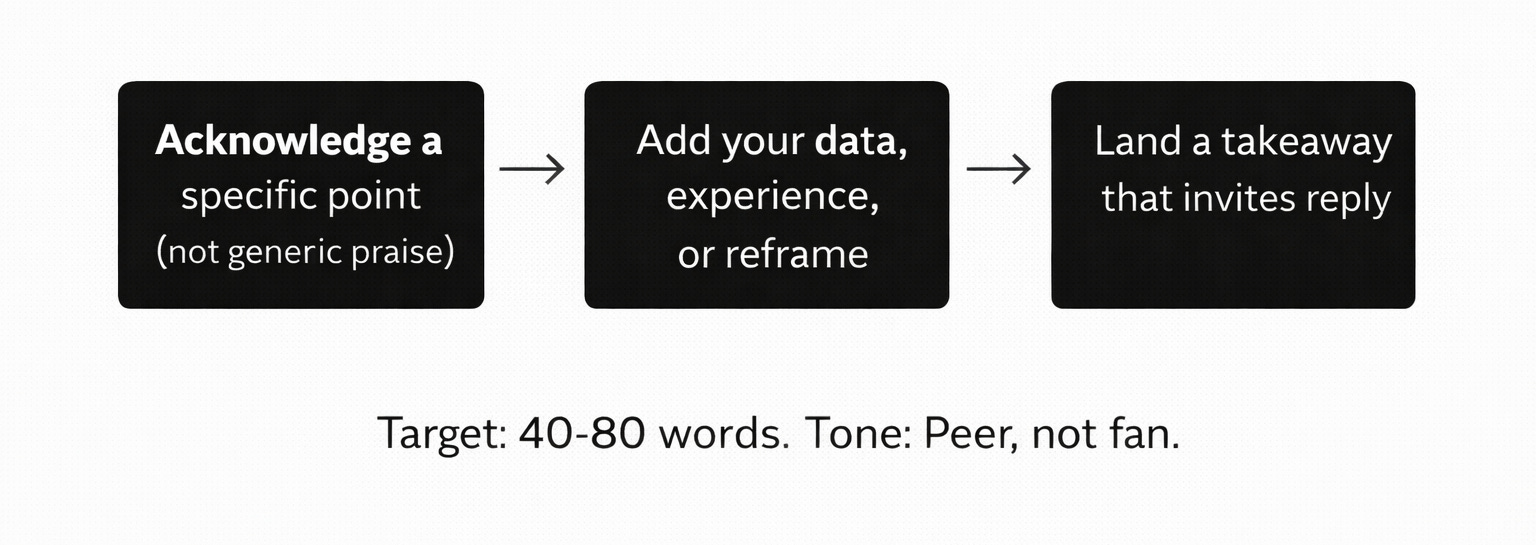
Structure: Acknowledge a specific point > Add your data or experience > Land a takeaway. Aim for 40-80 words.
Scenario: Someone posts about how their SaaS onboarding reduced churn by 30%.
Expertise Add example
“The onboarding piece is spot on. We found something similar at Revenoid, but the bigger lever was the first 72 hours, not the first 14 days. Customers who hit their first ‘aha’ within 3 days had 2.4x higher 90-day retention than those who hit it in week 2. Speed to value > completeness of onboarding.”
Why it works: Specific data point. Personal experience. A non-obvious reframe (”speed to value > completeness”), which extends the conversation and multiplies both of your reach.
Type 2: The Respectful Challenger
You add nuance or a counterpoint without being rude. You just have to be “respectful.” while challenging their POV.
Structure: Agree with one element > Introduce a “but what about...” > Share why it matters. Keep it to 30-60 words.
Scenario: Someone posts “Every startup should be using AI agents for customer support by now.”
Respectful Challenger example
“Agree on the direction, but timing matters more than people think. We tested AI agents for support at StartupGTM and found that customers in their first 30 days actively wanted human interaction. The resolution rate was identical but NPS dropped 18 points. The question isn’t ‘should you’ but ‘when in the customer lifecycle.’”
Why it works: Validates the actual posts’ intent, then adds an angle they missed. Other readers see this as someone who’s actually tried it. The post author almost always responds.
Type 3: The Story Bridge
You add a specific personal anecdote to the post’s topic. In a comment section full of opinions, a story is a pattern interrupt.
Structure: Brief scene-set (one sentence) > What happened > What you learned. 40-70 words.
Scenario: Someone posts about the importance of founder-led sales.
Story Bridge example
“I have lived this. First 50 subscribers to StartupGTM came from personal conversations that I did for GTM advisory in 2023. Earlier, When I hired someone to take over outreach, conversion dropped by half because they couldn’t explain the ‘why’ behind my service. The real unlock wasn’t delegating outreach. it was documenting the pitch until someone else could sell the why, not just the what.”
Why it works: Visceral, specific, ends with a non-obvious insight. Other founders see themselves in the story. This type consistently gets the highest save rate because people want to reference it later.
Type 4: The Question Architect
You ask a question so good the post author wants to write another post answering it. Not a generic “what do you think about X?” but something specific and thought-provoking.
Structure: Reference a specific point > Ask the question that point raises. 20-40 words. The question does the work.
Scenario: Someone posts about hitting $1M ARR with a 3-person team.
Question Architect example
“Curious about the tradeoff you’re probably feeling now: at $1M ARR with 3 people, every hire changes the culture fundamentally. How are you thinking about hire #4? revenue role or product role?”
Why it works: Shows you understood the deeper implication of their post, not just the surface. Invites a reply that benefits their audience too. This type generates the longest threads.
The prompts: AI as thinking accelerator, not content generator
Before I share the prompts: a necessary disclaimer.
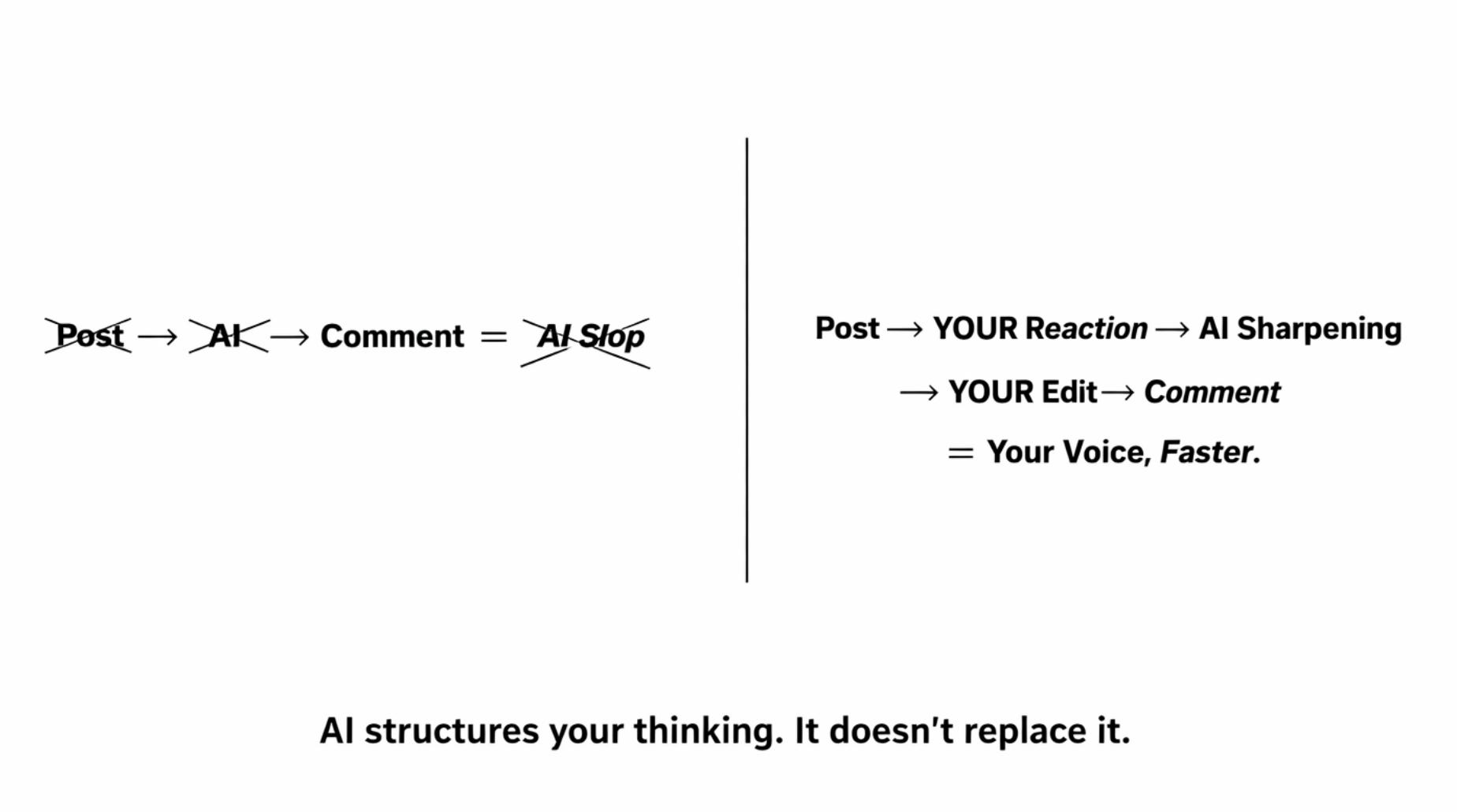
If you skip the “have a reaction” step and just paste posts into Claude, you’ll generate better-formatted AI slop. That’s not the play.
The prompts below assume you’ve read the post and formed an actual opinion. AI structures your thinking. It doesn’t replace it.
A ghostwriter doesn’t make a bad thinker into a good author. But a good thinker with a ghostwriter produces more, faster, without losing quality. AI is your commenting ghostwriter. You still need to have something to say.
My first two weeks of doing this, I got zero replies. Every comment I wrote looked like a summary. I was skipping the “react” step and letting AI do all the thinking. The moment I started bringing my own raw reaction first, everything changed.
The workflow, every time: Read post > Have a genuine reaction > Use AI to sharpen and structure that reaction > Edit in your voice > Post.
If you skip the “have a reaction” step, you’re adding more slop.
Type 1 - Expertise Add Comment - A preview of the prompt system ( I actually use
What I actually run day-to-day is a 5-layer system with branching paths depending on the post type and my relationship with the post author.
Here’s how the layers work:
Layer 0: Session setup
What it does: Sets your goal, brand, and time budget before you start
Layer 1: Post qualification
What it does: Classifies post type + your relationship with the poster. Tells you whether to skip, switch frameworks, or proceed.
Layer 2: Depth selection
What it does: Decides if this comment gets 60 seconds (Tier 1, 80% of comments) or 3–5 minutes (Tier 2, high-stakes)
Layer 3: Comment drafting
What it does: 6 branching paths. Different prompt sequences for insight posts vs. personal narratives vs. customer posts vs. disagreements.
Layer 4: Post-comment protocol
What it does: Reply management, thread escalation, content capture
Layer 5: Weekly review
What it does: What worked, what to adjust, what to create next week
Most comments only need Layers 1 + 2 in fast mode. The full sequence is for the 20% of comments that actually move the needle.
Layer 3 is where the real system lives.
Branch A (the expertise add) is the default -- it handles 70% of your comments. Branches B through F cover the situations where the expertise add structure would be wrong: vulnerability posts, customer posts, posts that tag you, announcements, and disagreements.
I’ll walk through the full Branch A sequence below so you can see how the layers work together.
The Expertise Add workflow: 3 steps, fully prompted
Step 1 — Analyze the post
This is the step most people skip. They read a post, have a vague reaction, and start typing. Or worse, they paste the post into AI with no direction. The analysis prompt forces you to think before you write. It routes your thinking based on what kind of post you’re looking at.
I’m reading this post. I need to understand it before I comment.
## POST:
`[PASTE POST]`

---
## If this is a carousel or thread:

Summarize the core argument in 2–3 sentences.

Focus on:
* The **hook** (slide 1–2)
* The **conclusion** (final slide)

That’s where the commentable surface area is.

---

## If this is a repost with commentary:

Analyze the **REPOSTER’S take**, not the original content.

The reposter is my audience.

---

# Now analyze based on post type:
---

## FOR INSIGHT / HOT TAKE / TUTORIAL
* What’s the core argument in one sentence?
* What assumption is the author making that they haven’t examined?
* What would someone with hands-on experience in **[MY DOMAIN]** know that this post doesn’t cover?
* Is the post oversimplifying something that’s actually more nuanced, or overcomplicating something that’s actually simple?

---
## FOR DATA POSTS
* What methodology produced this data? (Survey? Product analytics? Third-party report?)
* What context would change how you interpret these numbers?
* What does the practitioner reality look like compared to what the data suggests?
* Is the conclusion the data actually supports different from the conclusion the author drew?

---
## FOR PREDICTIONS
* What has to be true for this prediction to play out?
* What’s the most likely reason it won’t happen as described?
* What’s the timeline assumption, and is it realistic?

---
## FOR POSTMORTEMS
* What pattern does this failure represent?
  * Is it a common failure mode or genuinely unusual?
* Have I seen this across other companies?
* What’s the structural cause they might be missing?

---
## FOR COMPARISONS
* Do I have a commercial relationship with either thing being compared?
  * (If yes, disclose or skip.)
* What variable is the comparison ignoring?

---
## FOR QUESTIONS / POLLS
* What answer would demonstrate unusual depth vs. the obvious responses others will give?
* Can I answer in a way that makes the original poster want to reply to *me* specifically?

---
# EXPERTISE SELF-CHECK
* Do I have genuine hands-on experience here?
  → **YES**: Proceed in expert mode.

* Am I adjacent but not expert?
  → **YES**: Switch to “sharp question” mode.

  Ask the question everyone’s thinking but nobody’s asking.

---
# AGREEMENT CHECK
* Do I agree with this post?
  → **YES**: Don’t manufacture disagreement. Add specificity and evidence that strengthens the argument.

* Do I disagree?
  → **YES**: Identify exactly where and why. Lead with the specific point of divergence.

* Is the post factually wrong?
  → **YES**: Lead with the correction + evidence. Don’t soften a factual error behind polite acknowledgment.
---
Notice what this prompt does that a generic “write a comment” prompt doesn’t.
It forces different analysis paths depending on whether the post is sharing data, making a prediction, or dissecting a failure.
It checks whether you actually have expertise or should switch to asking a sharp question instead. And it prevents you from manufacturing disagreement just for engagement.
Step 2 — Draft the comment
Step 2 takes your analysis and turns it into a comment. Here’s the core of the prompt:
---
Using my analysis from Step 1, draft a LinkedIn comment.

---

# STRUCTURE (40–80 words)
### 1. Acknowledge one specific point from the post.
Not generic praise.
Pick the exact claim or insight that connects to what I’m about to add.

### 2. Add my contribution based on my analysis:
**EXPERT MODE:**

A data point, practitioner insight, or parallel experience the author didn’t cover.
Be specific — name the number, the outcome, the timeframe.

**SHARP QUESTION MODE (for adjacent domains):**
A precise question that reveals where the interesting edge of this topic is.

### 3. End with a concise takeaway, reframe, or question that invites the poster to reply.

---

# VOICE RULES
* Direct, founder-level language. I’m a peer, not a fan.
* No “great post,” “love this,” “couldn’t agree more,” or any variant.
* No emojis.
* No “I’d add that...” or “One thing I’d mention...” — just say the thing.
* No cheerleading.
* No performative humility.

---

# CALIBRATE DIRECTNESS
* **Factual error** → Lead with the correction. Evidence first, diplomacy second.
* **Difference of opinion** → Acknowledge their point, then use “and” not “but.”
* **Prospect or investor** → Would this comment make them want to take a meeting with me?
* **Mega-influencer post (1K+ likes)** → Front-load my sharpest line.
  The first sentence determines whether anyone reads the rest.

---
Two things to notice. First, the prompt switches between “expert mode” (share your data) and “sharp question mode” (ask what nobody’s asking) based on how you answered the expertise self-check in Step 1.
Second, the directness calibration at the bottom adjusts your tone depending on whether you’re correcting a factual error, disagreeing with an opinion, commenting for a prospect, or competing for visibility on a high-engagement post. Same system, different situations.
Step 3 — Voice and platform check
Step 3 is the quality gate. It catches AI-sounding language, adjusts for platform, and runs a final gut check. Here’s the key section:
---
# BAR TEST
Read this out loud as if I’m talking to another founder at a bar.
* Remove anything I wouldn’t actually say in that context.
* If a sentence sounds like “LinkedIn advice,” kill it.

---
# PLATFORM FORMAT
### LinkedIn
* 40–80 words.
* Can be a short paragraph or 2–3 punchy sentences.

### X / Twitter
* 15–40 words.
* Sharper. Wittier.
* More edge permitted.
* Cut everything that isn’t essential.

---
# VISIBILITY CHECK
* If the post has **1K+ likes** →
  My first sentence needs to be the sharpest line.
  Most people won’t read past it.

* If the post is from a **smaller account (<500 followers)** →
  Slightly longer and more generous comments land better.
  They’re more likely to be read fully and replied to.

---
# FINAL GUT CHECK
* Does this sound like me?
* Would a CRO forward this to their team?
* Would I be comfortable if this comment went mildly viral?
* Is there any way to read this as self-promotional or sycophantic?

  → If yes, rewrite.

---
The visibility check is the part most people don’t think about. A comment on a post with 1,000 likes needs to lead with its sharpest line because you’re competing with hundreds of other comments.
A comment on a post from someone with 400 followers can be longer and more generous because it’ll actually be read.
That’s the Expertise Add: one of six branches.
What you just saw is the prompt sequence for one comment type. The complete system I use includes five more branches for situations where this structure would be wrong:
Branch: B — Empathy + Experience
When You Need It: Vulnerability posts, personal stories, career reflections
Why the Expertise Add Won’t Work Here: Leading with analysis on a post about someone’s layoff or burnout makes you look tone-deaf. This branch leads with connection, not insight.
Branch: C — Customer Amplification
When You Need It: Any post from a current customer
Why the Expertise Add Won’t Work Here: Your job isn’t to add expertise — it’s to make their result look more impressive. This branch has a “cringe check”: would this comment embarrass you if a competitor put it in a slide deck?
Branch: D — Relationship Deepening
When You Need It: When someone tags you or mentions your work
Why the Expertise Add Won’t Work Here: Don’t explain your own framework back to them. This branch validates their interpretation and extends the conversation.
Branch: E — Strategic Acknowledgment
When You Need It: Funding rounds, launches, key hires, milestones
Why the Expertise Add Won’t Work Here: There’s no argument to analyze. This branch has three specific “plays” (insider signal, forward-looking insight, genuine connection) and rules like: no “congrats!” by itself, and no “well-deserved” unless you can say specifically why.
Branch: F — Disagreement Calibration
When You Need It: Any post you disagree with, regardless of type
Why the Expertise Add Won’t Work Here: Adjusts your directness across four levels based on relationship stakes. With strangers, lead with your position. With investors, ask a question instead. “The question is your disagreement, delivered without confrontation.”
Plus operational layers the prompts sit inside: session setup, post qualification (the filter that stops you from wasting comments), depth selection, post-comment reply protocol, and a weekly review loop.
→ Download the complete Expertise Add prompt system here — it’s free
The universal voice check below works with any prompt. Run this before posting anything
Review this comment against these criteria:
1) Would I actually say this out loud to the post author at a conference?
2) Does it contain any AI red flags: ‘resonate,’ ‘unpack,’ ‘landscape,’ ‘leverage,’ ‘delve,’ ‘navigate,’ ‘powerful insight,’ ‘truly inspiring’?
3) If the poster looked at my last 10 comments, would they all sound different?
4) Is there at least one specific detail (a number, name, timeframe, or outcome) that proves I’m speaking from experience? Fix any failures.
→ Download the complete Universal Voice Check prompt system here — it’s free
I have only covered one comment type so far. Here’s the full operating system.
The Expertise Add handles insight posts, data posts, tutorials, predictions, postmortems, comparisons, and polls. That’s roughly 70% of what you’ll encounter in your feed.
The remaining 30% is where most people get lost. Someone posts a vulnerable story about failing. Someone makes a claim your experience contradicts. Someone raises a question you genuinely want to answer. The Expertise Add doesn’t fit those moments — and forcing it produces comments that feel tone-deaf.
I built all of it into one product.
Here’s how it works for me:
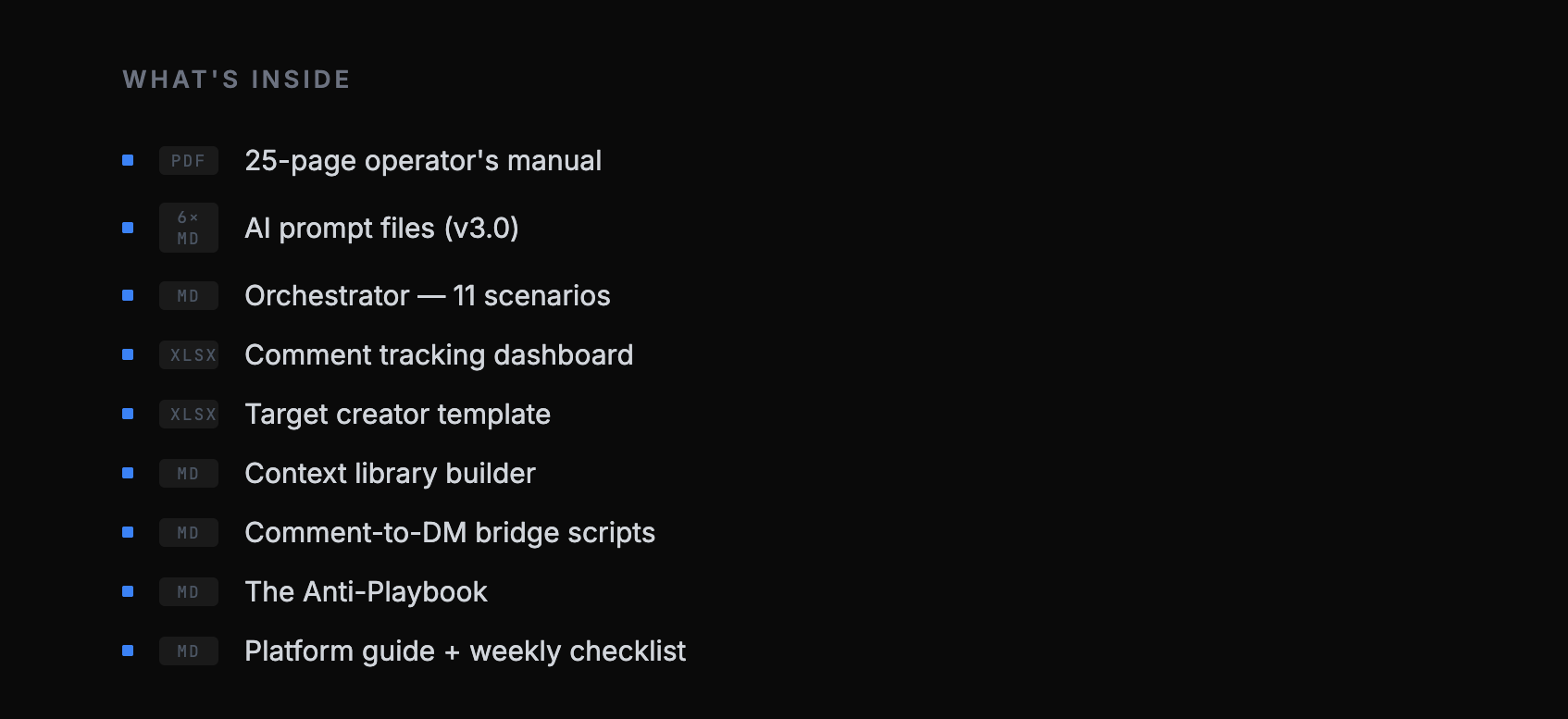
The AI-assisted operating system for LinkedIn distribution without creating content.
You downloaded the Expertise Add system for free. Here’s what the complete OS adds:
3 additional comment systems
Full multi-step prompt sequences for the Respectful Challenger (5 steps, 4 structural templates matched to disagreement type, a re-engagement protocol for when the author responds),
Story Bridge (3 steps, story compression under 60 words, humble-brag filter, 3 structural options so your comments don’t all open the same way), and
Question Architect (5 steps, 12 abort criteria, 5 question discovery lenses, an acid test that kills weak questions before you post them).
Reaction builder + router
The step that separates this from every other prompt pack. Before you draft anything, the Router classifies the post for substance check, post type, sensitivity flag, timing check and routes you to the right reaction finder.
Three reaction finders develop your angle depending on whether you’re adding, disagreeing, or questioning. A Quick Mode gets you a sharpened direction in one exchange when you’re short on time.
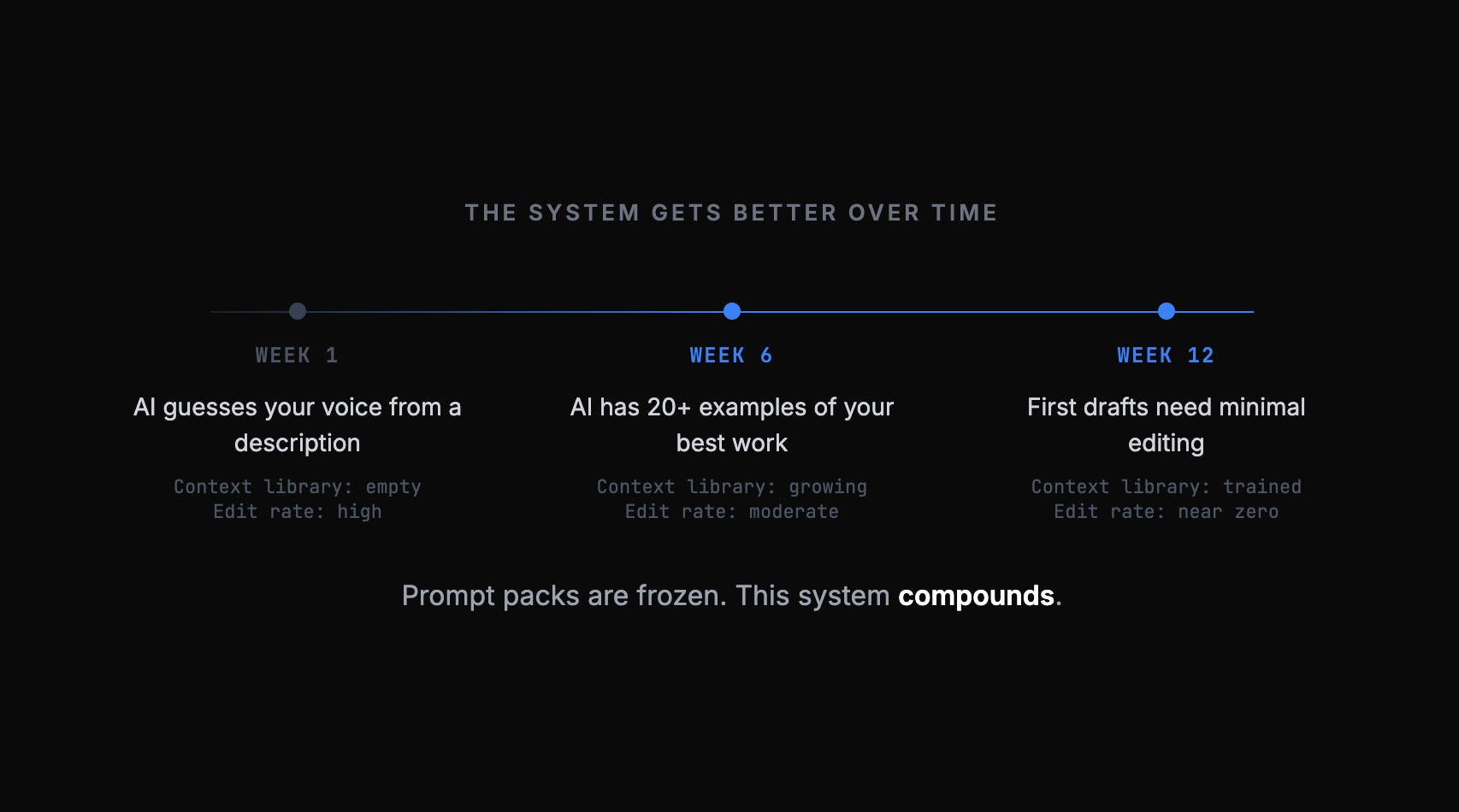
This is the “have a genuine reaction first” methodology. It’s the reason the output sounds like a person who read the post, not an AI that processed it.
Orchestrator system prompt
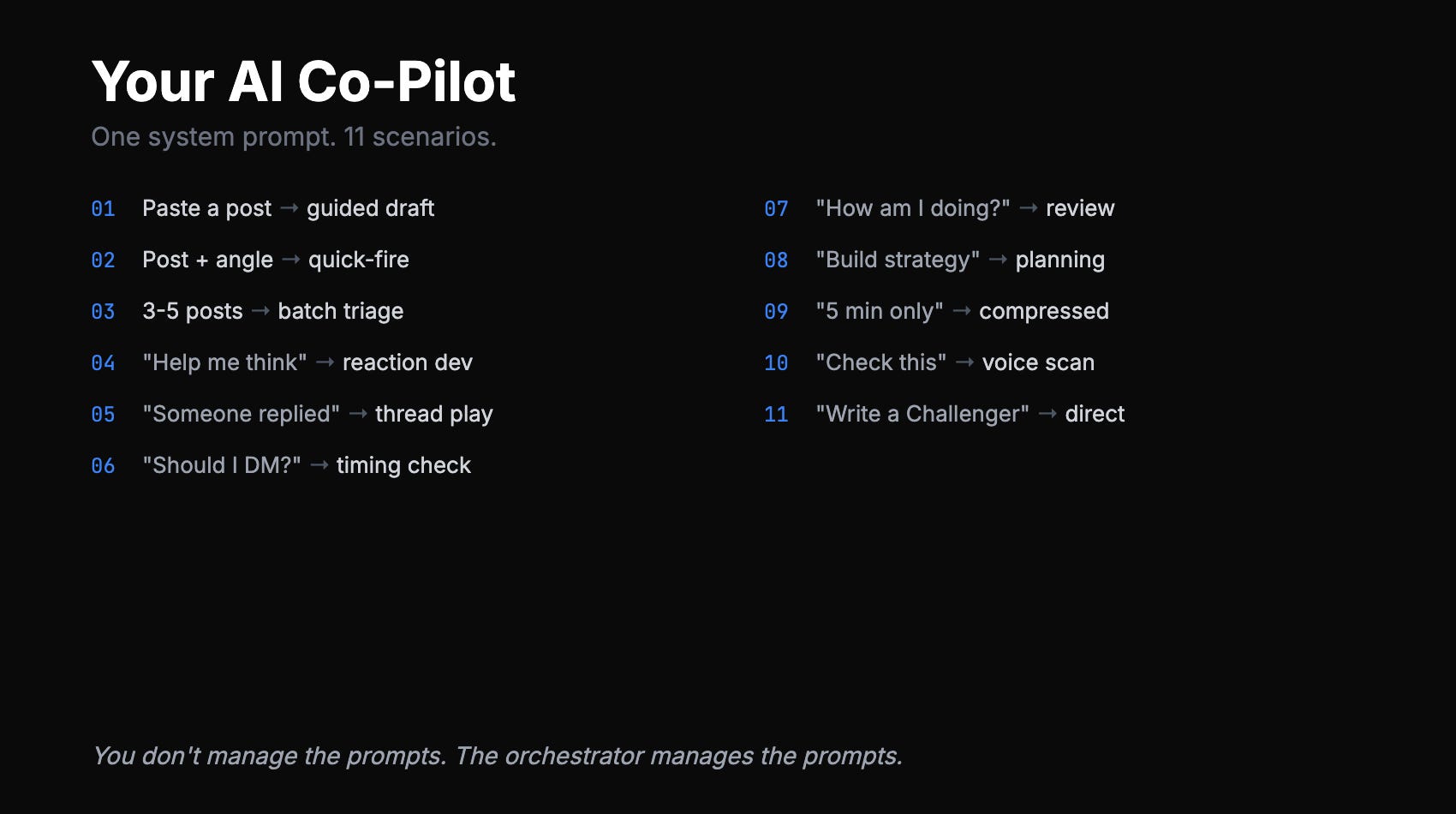
One system prompt that turns your Claude Project or Custom GPT into a commenting co-pilot with 11 scenarios.
Paste a post — it routes, reacts, drafts, and voice-checks.
Paste 5 posts — it triages and batch-drafts.
Say “someone replied” — it classifies the response and gives you the right play.
Say “how am I doing?” — it runs a performance review on your recent comments. You don’t manage the prompts. The orchestrator manages the prompts.
Who this is for: B2B founders and operators who are time-constrained, already have expertise worth sharing, and want a system — not tips. You’re not a LinkedIn beginner. You already know commenting matters. You lack the repeatable process that turns 15 minutes into measurable inbound.
Who this is not for: People looking for an AI bot to comment for them. The methodology requires your genuine reaction — the AI shapes the expression, it doesn’t replace the thinking. Anyone who wants to fake expertise they don’t have. The system is built on specificity. If you don’t have real data, real stories, and real experience, there’s nothing to amplify.
The data behind the system:
Six months of tracked results, same niche, same audience. Commenting used the Comment Engine methodology. Posting was 3x/week on a consistent schedule.3-4x the inbound conversations. 40% less time. Not because posts are useless — because commenting borrows someone else’s distribution at a fraction of the effort.
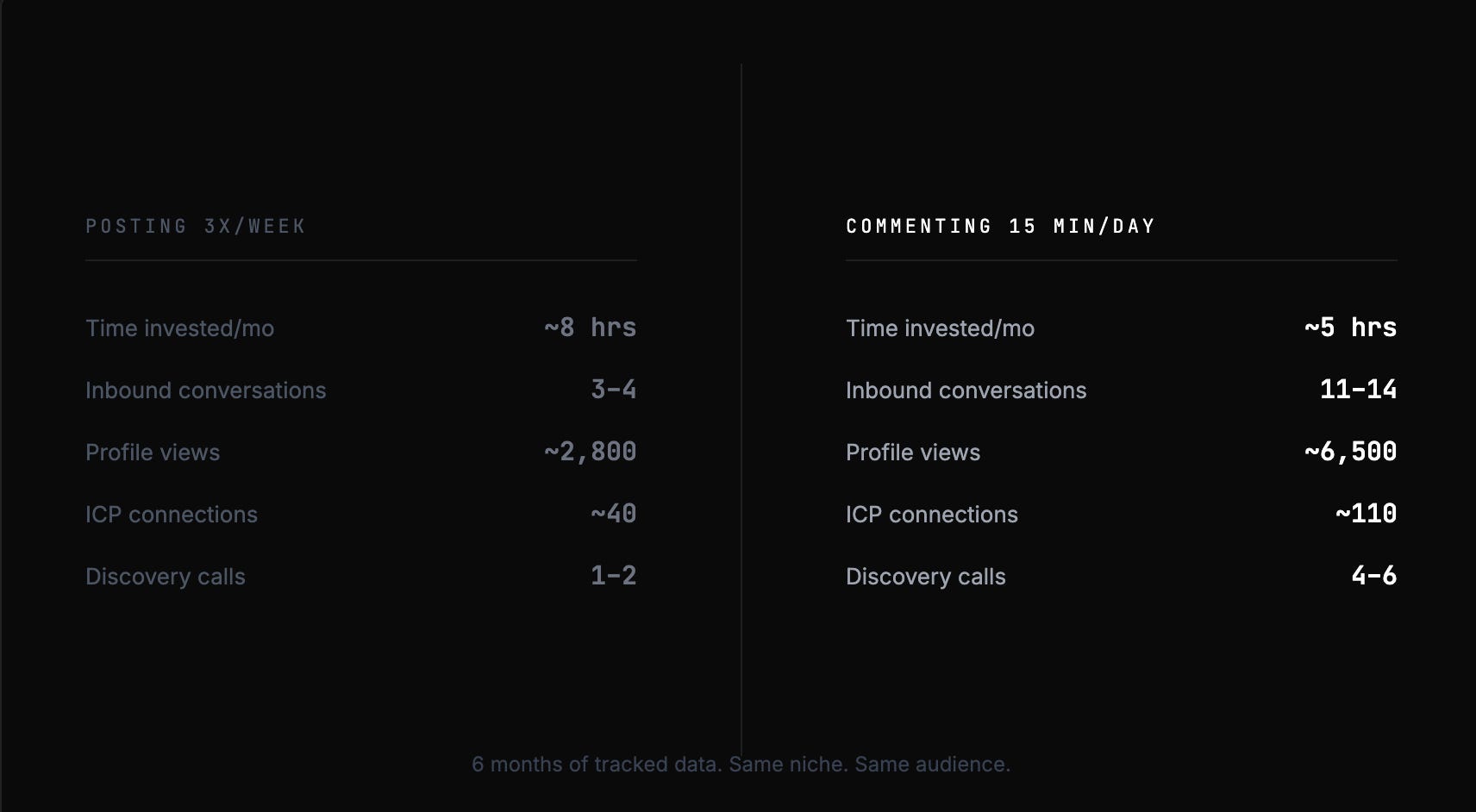
3-4x the inbound conversations. 40% less time. Six months of tracked data.
→ Get the Comment Engine OS
Two-week guarantee. Run the full 15-minute daily system for 2 weeks. Track your results using the dashboard. If you don’t see measurably more inbound conversations — DMs, connection requests, profile visits, just email me. We will connect to see why it is not happening.
The system works when you work it. Two weeks is enough to know.
The 15-minute daily system
Whether you use the free Expertise Add doc or the full Comment Engine OS, the daily workflow is the same. Everything above is useless if it becomes another thing on your to-do list. I time myself. It works.
Action: Scan
What You’re Doing: Open LinkedIn. Scan your feed for 5–10 posts from people in your target audience. Look for posts with 50+ reactions in your domain. Bookmark 2–3 worth commenting on.
Action: React
What You’re Doing: For each bookmarked post, write one raw sentence about your reaction. Not polished. Just: “I disagree because…” or “This reminds me of when…” or “They’re missing…” This is your thinking.
Action: Sharpen
What You’re Doing: Paste the post + your raw reaction into Claude or ChatGPT. Use the appropriate prompt. Run 2 steps max — don’t over-polish. Edit 20–30% to sound like you.
Action: Post + Engage
What You’re Doing: Post your 2–3 comments. Set a reminder to check for replies in 2 hours. Reply to anyone who responds — this extends dwell time and tells the algorithm the thread is valuable.
The weekly rhythm
Day: Monday–Thursday
Focus: 15 min/day commenting on 2–3 high-reach posts. Mix comment types. Prioritize posts from people you want to build relationships with.
Day: Friday
Focus: Review the week. Which comments got engagement? Which led to profile visits or connection requests? What type performed best? Adjust next week’s mix.
Day: Weekend
Focus: Optional: one quality comment on a high-performing post. Competition is lower on weekends, so your comment sits near the top longer.
Quick reference: the cheat sheet
Save this. Screenshot it. Forward it to whoever on your team keeps asking how you stay visible on LinkedIn without posting every day.
The best distribution strategy in 2026 isn’t creating more content. It’s showing up in the right conversations with something worth saying. AI just helps you do it in 15 minutes instead of 60.
Start here: Download the free Expertise Add system and try it for one week. If you want the full operating system with all four comment types, the tracking infrastructure, and the comment-to-pipeline conversion framework:
Then reply to this email with one number: how many inbound conversations you got from comments vs. posts. I read every reply.
If this was useful, forward it to one person who posts 5x a week but never comments. They probably need it more than you do.
Loved this?
And subscribe to “Prompts Daily Newsletter” as well…
If you’re not a subscriber, here’s what you missed earlier:
The AI Partner Stack: 8 Roles as My Advisory Board (Part 2 of 2)
How You Should Actually Plan 2026: [Implementation Guide with Prompts]
Find trends before others: Frameworks, Techniques, Sources and Prompts
The Market Entry Timing Equation: When Being Early Wins and When It Kills You
The Viral LinkedIn GTM Playbook: Frameworks That Drove Engagement and Leads
The Offer Testing Matrix: 6 B2B Hooks That Convert Cold Prospects into Pipeline
Subscribe to get access to the latest marketing, strategy and go-to-market techniques . Follow me on Linkedin and Twitter.
